Hey there! Martin here. Grab a coffee, pull up a chair, and let’s talk about that colorful (and sometimes slightly stressful) digital galaxy known as the Snapchat Friend Solar System.
If you’ve ever tapped on a friend’s profile and wondered why your Bitmoji is suddenly drifting near Neptune or why you’re being ranked as a “Mars” instead of a “Mercury,” you aren’t alone. Snapchat introduced this feature to add a bit of “spacey” fun to our friendships, but let’s be real—sometimes it’s just a bit too much information.
Whether you’re trying to reduce your screen time anxiety or just want to keep your friendship vibes a bit more private, I’m going to show you exactly how to turn off Snapchat planets so you can get back to just snapping without the cosmic pressure.
My Personal Experience with Snapchat Planets
I remember exactly when the Solar System feature dropped. I’m a bit of a data nerd, so at first, I thought it was the coolest thing ever. I spent an entire weekend checking my “rank” in my best friend’s orbit. I was Mercury—the #1 spot. Life was good.
But then, about a month later, I noticed I had slipped to Earth. Then Mars. Honestly, I started overthinking it. “Is Sarah mad at me? Did I not send enough memes this week?” I found myself sending “forced” Snaps just to maintain my planetary status. It felt less like a friendship and more like a competitive sport.
That was my “aha!” moment. I realized that seeing a digital ranking of my real-life friends was actually making me enjoy the app less. I decided to disable solar system rankings for a week as an experiment, and the relief was instant. I stopped worrying about the “orbit” and started enjoying the conversations again. If you’ve ever felt that “ranking anxiety,” trust me, opting out is a total game-changer.
Read More: Why is My Snapchat Planet Rank Different? Snapchat Rank Logic
What is the Friend Solar System Anyway?
Before we dive into the “how-to,” let’s quickly recap what we’re dealing with. If you have a Snapchat+ subscription, the app uses your interaction data (snaps, chats, and streaks) to place your top 8 friends into a literal solar system.
- You are the Sun.
- Your friends are the planets.
- The Rank: Mercury is your #1 best friend, while Neptune is #8.
It’s a visual way to see who you talk to most, but since it’s dynamic, it changes constantly. Does this sound familiar? One day you’re someone’s world, and the next, you’re a distant blue ball of gas (Neptune).
How to Turn Off Snapchat Planets (Step-by-Step)
If you’re ready to hide planets and regain some snapchat privacy, the good news is that it’s incredibly easy to toggle. Since early 2024, Snapchat actually made this feature “off by default” for new users because of the social pressure it caused, but if yours is on, here is how to kill it.
Step 1: Head to Your Profile
Open Snapchat and tap your Bitmoji (or your Story icon) in the top-left corner of the screen. This takes you to your main profile page.
Step 2: Open the Snapchat+ Management Hub
Right under your name and Snap Score, you’ll see the Snapchat+ member banner. It usually has a gold star or a specific logo. Tap that to enter the feature management screen.
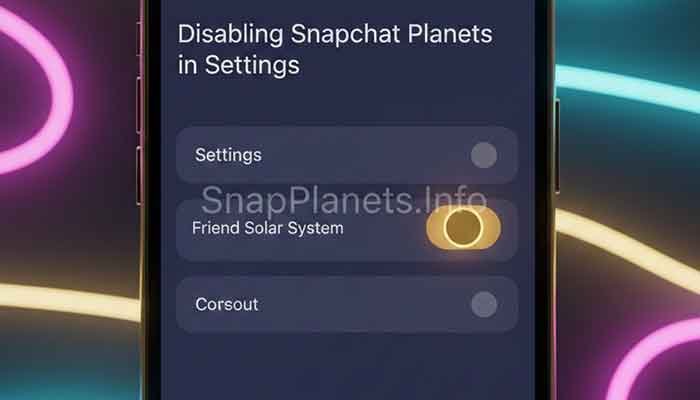
Step 3: Find the “Friend Solar System” Toggle
Scroll through the list of exclusive features (like Custom App Icons and Post-View Emojis). You’re looking for the one labeled Friend Solar System.
Step 4: Toggle it OFF
Simply tap the switch to opt-out. You’ll likely see a confirmation pop-up asking if you’re sure. Tap “Okay” or “Confirm.”
Martin’s Note: Once you turn this off, the “Best Friends” or “Friends” badge on your friends’ profiles will no longer show the planetary ranking when you tap it. You’re officially off the grid!
Why You Might Want to Disable the Solar System
There are plenty of reasons why my fellow Power Users choose to turn off Snapchat planets. Here’s the breakdown:
- Friendship Privacy: Maybe you don’t want to know exactly where you stand in someone else’s life, and you definitely don’t want to feel like they are “ranking” you.
- Mental Health: As I mentioned in my story, the constant shift in ranks can lead to unnecessary social anxiety.
- Cleaner UI: If you don’t use the feature, turning it off cleans up the Friendship Profile interface.
- Focus on Real Connection: It moves the focus back to the content of the Snaps rather than the frequency of them.
Snapchat Planets vs. Standard Best Friend Emojis
A lot of people get confused between the Solar System and the classic Emojis (like the Yellow Heart or the Smirking Face). Here is a quick comparison table to keep things clear:
Comparison: Solar System vs. Friend Emojis
| Feature | Friend Solar System | Best Friend Emojis |
| Availability | Snapchat+ Subscribers Only | Everyone (Free) |
| Visualization | Planets (Mercury to Neptune) | Emojis (💛, ❤️, 💕, etc.) |
| Visibility | Private (Only you see your rank) | Private (Only you see your list) |
| Ranking | Specific 1-8 Ranking | General Tiers |
| Can you turn it off? | Yes, via S+ Settings | No (only by changing habits) |
Frequently Asked Questions (FAQ)
1. If I turn off the Solar System, can my friends still see my rank?
No. The Friend Solar System is entirely private to the user who has it enabled. If you turn yours off, you just won’t see your rank in their system. They can still see where you stand in their orbit if they have the feature turned on, but you won’t be bothered by the data.
2. Does turning off planets delete my Best Friends list?
Not at all! Your Best Friends list is a core part of Snapchat’s algorithm. Turning off the planets just removes the “space-themed” visual representation of that list. Your 💛 and ❤️ emojis will stay exactly where they are.
3. Why can’t I see the Solar System even though I have Snapchat+?
It’s likely because it’s off by default. Following the steps I listed above will let you toggle it back on if you ever change your mind. Also, remember that you and your friend both need to have linked Bitmojis for the planets to appear!
4. Is there a way to hide my planet from everyone else?
Since the feature is private, “everyone else” already can’t see it. The only person who sees your rank in a friend’s solar system is you. If you don’t want to see it, just follow the “turn off” steps above.
5. Does the ranking update in real-time?
Pretty much! While it’s not second-by-second, the “orbit” is very dynamic. If you stop chatting with your #1 friend for a few days, don’t be surprised if you see your Bitmoji drifting toward Jupiter.
Martin’s Final Tip
Technology should make our lives easier and our connections more fun—not more stressful. The Snapchat Planet system is a cool piece of engineering, but it’s just data. It doesn’t know that you and your “Neptune” friend actually spent four hours on the phone last night or that your “Mercury” is just someone you send boring streaks to.
My final piece of advice? If you find yourself checking your “orbit” more than you’re actually talking to your friends, it’s time to hit that toggle and turn off Snapchat planets. Your friendships are way more complex than a 1-to-8 ranking!
Would you like me to help you set up other Snapchat+ features, like custom notification sounds or story rewatch counts? Just let me know!