Hey there! I’m Martin. If you’re anything like me, you probably jumped on the Snapchat+ bandwagon the second it dropped. I mean, custom app icons and seeing who rewatched your Story? Sign me up!
But here’s the thing: as much as I love the “power user” life, I’m also a huge stickler for privacy. Lately, I’ve noticed that some of these “exclusive” features feel a little… well, loud. Sometimes you just want the premium perks without feeling like your digital life is an open book. If you’ve ever felt a bit exposed by the solar system rankings or worried about your location history, you’re in the right place. Let’s talk about the Snapchat Plus privacy settings you need to lock down right now.
My Personal Experience with Snapchat Plus Privacy
I’ll be honest—I learned about these settings the hard way. About six months ago, I was grabbing a surprise gift for my sister. I had my location shared with a few close friends, thinking nothing of it. Later that night, one of my buddies joked, “Hey, saw you spent an hour at that jewelry store downtown! Big moves?”
My heart sank. Not because I was doing anything wrong, but because of Ghost Trails. I hadn’t realized that by having Snapchat+, my friends could see my literal pathing for the last 24 hours. It felt like someone was tracing my footsteps with a yellow highlighter. That was the “Aha!” moment where I realized that being a Power User doesn’t mean you have to be an Open Book. I spent the next hour digging through the menus to find a balance between “cool features” and “creepy tracking.” Here’s what I found.
The “Must-Check” Snapchat Plus Privacy Settings
When you pay for a subscription, you expect more control, not less. However, Snapchat often toggles “on” these social features by default. If you value your digital personal space, these are the three areas you should audit immediately.
1. Hiding Your Ghost Trails

This is the big one. Ghost Trails allows your friends (if they also have Snapchat+) to see where you’ve been in the last 24 hours. While it’s meant to be a fun way to see a friend’s “journey,” it can feel like a massive privacy leak.
- How to fix it: You don’t actually have a “Ghost Trails Off” button specifically for the trail. Instead, you have to use Ghost Mode on the Snap Map.
- Martin’s Insight: When you enable Ghost Mode, your trail vanishes for everyone else. I personally keep Ghost Mode on 90% of the time and only pop it off when I’m actually meeting up with people. It’s the only way to hide ghost trails effectively.
2. Disabling the Friend Solar System
Ever seen that “Best Friends” badge with the gold ring? That’s the Friend Solar System. It ranks your top 8 friends as planets. While it’s private (only you can see your rank in their system), it can lead to some awkward “Why am I only Mars and not your Mercury?” conversations.
- To disable solar system: Go to your Profile > Snapchat+ Membership Card > Toggle Friend Solar System to Off.
- Why do this? Honestly, it reduces the “social anxiety” of the app. You don’t need an algorithm telling you who your best friends are, and you certainly don’t need to feel pressured by a digital ranking.
3. Securing Your Profile Icons and Badges
One of the coolest perks is the Snapchat+ Badge (that little black star). But did you know you can hide it? If you don’t want people to know you’re a paying subscriber (which sometimes makes you a target for random spam or “flexing” accusations), you can keep it low-key.
Comparison: Standard vs. Privacy-Optimized Snapchat+
Here’s a quick breakdown of how I’ve set up my app versus the default “Out of the Box” settings.
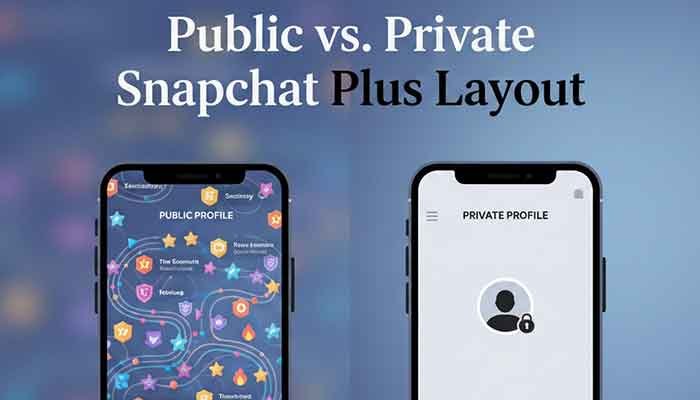
| Feature | Default Setting (Social) | Martin’s Privacy Setting (Secure) |
| Ghost Trails | Visible to friends | Hidden (via Ghost Mode) |
| Friend Solar System | On | Off |
| Snapchat+ Badge | Visible | Hidden |
| Story Rewatch Count | On | On (Private to you anyway) |
| Data Sharing with My AI | Active | Cleared Regularly |
| Custom App Icon | Any | Discreet (Standard Ghost) |
Deep Dive: Managing Your “My AI” and Data
We can’t talk about Snapchat Plus privacy settings without mentioning My AI. Since we’re paying for the “early access” and “extra features,” we tend to interact with the AI more.
But remember: My AI remembers what you tell it. I make it a habit to go into my settings and Clear My AI Data every month. It’s like clearing your browser history—it just keeps things fresh and ensures that a chatbot doesn’t have a permanent record of that time you asked for “the best places to cry in public” (hey, we’ve all been there).
How to Clear My AI Data:
- Tap your Profile Icon.
- Hit the Gear Icon (Settings).
- Scroll down to Privacy Controls.
- Tap Clear Data > Clear My AI Chat Queries.
FAQ: What the Community is Asking
I spent some time browsing Reddit and Twitter to see what’s actually bugging people. Here are the answers to the most common head-scratchers.
Q: Can my friends see if I’ve turned off my Solar System?
A: Nope! That’s the beauty of it. Whether you have it on or off is entirely your business. They won’t get a notification saying “Martin disabled his planets.” They just won’t see a rank if they tap your badge.
Q: If I hide my Ghost Trails, can I still see theirs?
A: This is the “fair play” rule. If you are in Ghost Mode, you generally aren’t broadcasting. However, if they have theirs on and you have Snapchat+, you can still see theirs—provided they’ve shared their location with you. It’s a bit one-sided, but hey, that’s privacy!
Q: Does the “Story Rewatch” feature tell people who rewatched?
A: This is a common fear. Currently, it only shows you that people rewatched and how many, but not specifically who. So you can breathe easy if you accidentally watched your crush’s story three times.
Q: Can I use a Custom App Icon to make the app look like something else?
A: Absolutely. This is a great “stealth” privacy tip. I sometimes use the “Sunflower” or “Camera” icons so that if someone glints at my home screen, it isn’t immediately obvious that I’m on Snapchat.
Martin’s Final Tip
Privacy on social media isn’t about hiding secrets; it’s about owning your boundaries. My final piece of advice? Don’t feel pressured to use every feature just because you’re paying for it. If Ghost Trails makes you feel like you’re being stalked, kill it. If the Solar System feels like middle school drama, toss it.
The Golden Rule: Every time Snapchat updates (which is like, every three days, right?), take two minutes to peek into your Snapchat+ menu. They love to sneak in new “social” features that might default to “On.”
Would you like me to create a step-by-step video script for these privacy settings to share with your friends?