
I still remember the exact moment my niece handed me her phone and said, “Uncle Martin, just scroll.” I’m the “tech guy” in my family. People call me when their Wi-Fi dies or their printer refuses to print in color. So when I opened TikTok for the first time and just… froze, staring at a video of a guy folding laundry to a song I’d never heard, I felt kind of dumb. I didn’t know where to tap. I didn’t know what the little heart did versus the little arrow. I didn’t even know if I was allowed to just watch without an account.
That confusion is exactly why I’m writing this. If you’re wondering how to use TikTok and feeling a little lost, you’re not alone, and honestly, it’s not as complicated as it looks once someone walks you through it properly. That’s what I’m doing here — think of this as your TikTok guide for beginners, written by someone who fumbled through it first so you don’t have to.
By the end of this, you’ll understand how does TikTok work, how to make a TikTok video without embarrassing yourself, and all the TikTok basics that actually matter (not just the stuff every other article copy-pastes).
My Personal Experience With Learning How To Use TikTok
Okay, real talk. The first week I had TikTok, I mostly just watched. I didn’t post anything. I was scared of two things: looking old and pressing the wrong button in front of everyone.
Then one Sunday, bored and slightly caffeinated, I decided to actually make a video. I picked something simple — a 15-second clip of my coffee routine, because that felt low stakes. Here’s what actually happened:
- I hit record and immediately talked too fast because I panicked.
- I didn’t realize you could trim clips after recording, so I re-shot the same 15 seconds about six times.
- I added a trending sound without checking if it matched the video’s mood, and it looked so out of place I nearly didn’t post it.
- I finally posted it at 11 PM, expecting nothing.
By morning, it had maybe 40 views. Not viral. Not impressive. But you know what? Someone I didn’t know commented “this is oddly satisfying” and that tiny bit of feedback made me want to try again. That’s the part nobody tells you — TikTok isn’t about going viral on day one. It’s about that small dopamine hit of a stranger connecting with something you made.
What I learned from that first attempt: the app rewards authenticity over polish. My shaky, unedited coffee video did better than a “perfect” clip I tried the following week where I overthought every second. Honestly, that surprised me.
Read More: How to Find Your Best TikTok Emojis (The Real Guide Nobody Talks About)
What Is TikTok, Really? (Quick Refresher)
Before we get into how to use TikTok, let’s make sure we’re on the same page about what it actually is.
TikTok is a short-form video app where people create, share, and discover videos, usually set to music, sounds, or original audio. Unlike Instagram or Facebook, it doesn’t primarily show you content from people you follow — it shows you content it thinks you’ll like, based on what you watch, like, and how long you linger on a video.
That’s the part that confused me at first. I kept expecting a chronological feed like older social apps. TikTok doesn’t really work that way, and once I accepted that, everything made more sense.
How Does TikTok Work? Understanding The Basics

The “For You” Page (FYP)
This is the heart of the app. When you open TikTok, you land on your For You Page — a never-ending feed of videos picked specifically for you.
Here’s the honest truth: the algorithm learns fast. I watched three cooking videos in a row once, just out of curiosity, and within an hour my entire feed turned into a cooking channel. That’s both impressive and a little unsettling, if I’m being honest.
Following vs. For You
At the top of the app, you’ll usually see two tabs:
- Following — videos from accounts you follow, shown in order.
- For You — the algorithm-curated feed I just mentioned.
Most beginners live on the For You tab without even realizing it. That’s normal.
The Navigation Bar
At the bottom of the screen, you’ll find:
- Home — takes you back to your feed.
- Friends/Discover (varies by update) — helps you find new content or people.
- The Plus (+) button — this is where you create a new video.
- Inbox — your notifications and messages.
- Profile — your account, videos, and settings.
Don’t worry about memorizing all of this. You’ll build muscle memory within a few days of regular use.
Read More: Snapchat Plus Free Trial Planets: Do You Get Them? (2026)
How To Make A TikTok Video: Step-By-Step
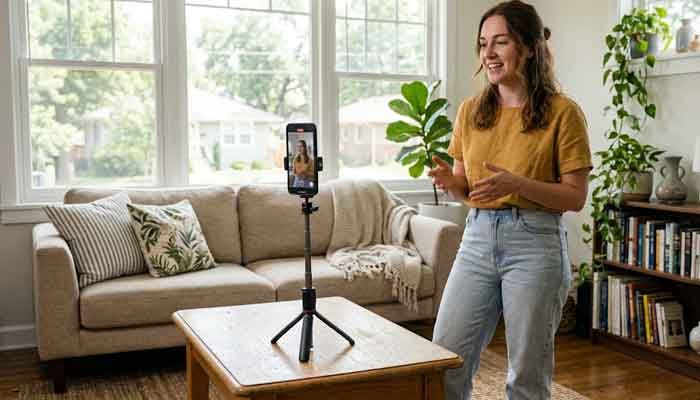
This was the part that intimidated me most, so let’s slow down here.
Step 1: Tap the Plus (+) Button
This opens the camera. Simple enough, but I didn’t realize at first that you could also upload a video you’d already recorded on your phone instead of filming live in the app.
Step 2: Choose Your Length
TikTok usually lets you pick different video lengths (like 15 seconds, 60 seconds, 3 minutes, or longer, depending on the current app version). Pick something shorter for your first few tries. Trust me, shorter is easier to control.
Step 3: Add Sound (Optional, But Powerful)
You can browse trending sounds or use your own audio. My advice? Don’t just grab whatever’s trending. Pick something that actually fits your video’s vibe, or you’ll end up like me, cringing at the mismatch.
Step 4: Record, Trim, Repeat
You can record in segments, pause, and continue. If something’s off, trim it. I wish I’d known this feature existed before I wasted twenty minutes re-filming from scratch.
Step 5: Edit
Add text, effects, filters, or captions. Keep it light for your first video. Overloading your first attempt with effects tends to look messy rather than professional.
Step 6: Write a Caption and Post
Add a short caption, throw in a couple of relevant hashtags, and hit post. That’s it. You did it.
TikTok Basics Every Beginner Should Know
Here are a few things I wish someone had told me directly instead of me learning them the awkward way:
- Your first few videos probably won’t get many views. That’s normal, not a failure.
- Engagement (comments, shares, watch time) matters more than just likes. A video someone watches fully but doesn’t like can perform better than one with quick likes and drop-offs.
- Privacy settings matter. You can set your account to private if you’re not ready for strangers to see your content.
- Duets and Stitches let you interact with other people’s videos, which is a fun way to get discovered without starting from scratch creatively.
TikTok Features Comparison Table
Here’s a simple breakdown of a few core TikTok features that confuse most beginners, based on what I’ve tested myself:
| Feature | What It Does | Beginner-Friendly? | My Honest Take |
|---|---|---|---|
| For You Page | Algorithm-curated video feed | Yes | Great for discovery, but can feel unpredictable at first |
| Duet | Lets you record alongside another creator’s video | Somewhat | Fun once you understand timing, tricky the first try |
| Stitch | Lets you clip and respond to part of someone’s video | Somewhat | Great for reactions, but easy to misuse the trim tool |
| Drafts | Saves unfinished videos privately | Yes | Underrated — I use this constantly before posting |
| Analytics (Creator Tools) | Shows views, watch time, audience info | No (needs a few posts first) | Genuinely useful once you have some content to compare |
Common Mistakes Beginners Make (From What I’ve Seen And Done Myself)
- Overthinking the first video instead of just posting something simple.
- Ignoring captions and hashtags completely.
- Using a trending sound that doesn’t match the content’s tone.
- Posting only at random times instead of noticing when your specific audience seems more active.
- Comparing view counts to big creators instead of tracking your own progress.
Does any of this sound familiar? If so, you’re in good company.
Frequently Asked Questions
Do I need a business account to use TikTok effectively?
No, not for casual use. A personal account works fine for beginners. Switching to a business or creator account mainly gives you access to analytics, which is helpful once you’re already posting regularly.
Why is my TikTok not getting any views?
This happened to me too. Usually it’s a combination of low watch time, unclear content, or mismatched hashtags. Give it time and keep experimenting rather than deleting videos too quickly.
Can I use TikTok without posting anything?
Yes. Plenty of people use it purely to watch content. There’s no rule saying you have to post.
How do I know how does TikTok work with the algorithm exactly?
Honestly, nobody outside TikTok knows the full details, and I won’t pretend I do either. From personal observation, it seems to prioritize watch time and engagement over follower count, but this is my own interpretation, not an official confirmed fact.
What’s the best way to learn TikTok basics quickly?
Just use it daily for a week. Watch, engage, and try posting once you feel comfortable. Reading guides (like this one) helps, but nothing replaces just tapping around and seeing what happens.
Martin’s Final Tip
If there’s one thing I’d tell past-me before opening TikTok for the first time, it’s this: stop trying to be perfect on video one. Post something small, watch what happens, and adjust. That’s genuinely how to use TikTok — not by mastering every feature upfront, but by learning through doing, the same way I did with my slightly-too-fast coffee video.
So go ahead, open the app, tap that plus button, and make something. You don’t need a strategy yet. You just need a start.
If this guide helped clear things up, bookmark it, share it with a friend who’s just as lost as I was, and drop a comment below telling me about your first TikTok video. I’d genuinely love to hear it.